
Auto check-in
Auto check-in checks guests in and out in your PMS after the scheduled time, by rules you set once per group of properties.
Configuration
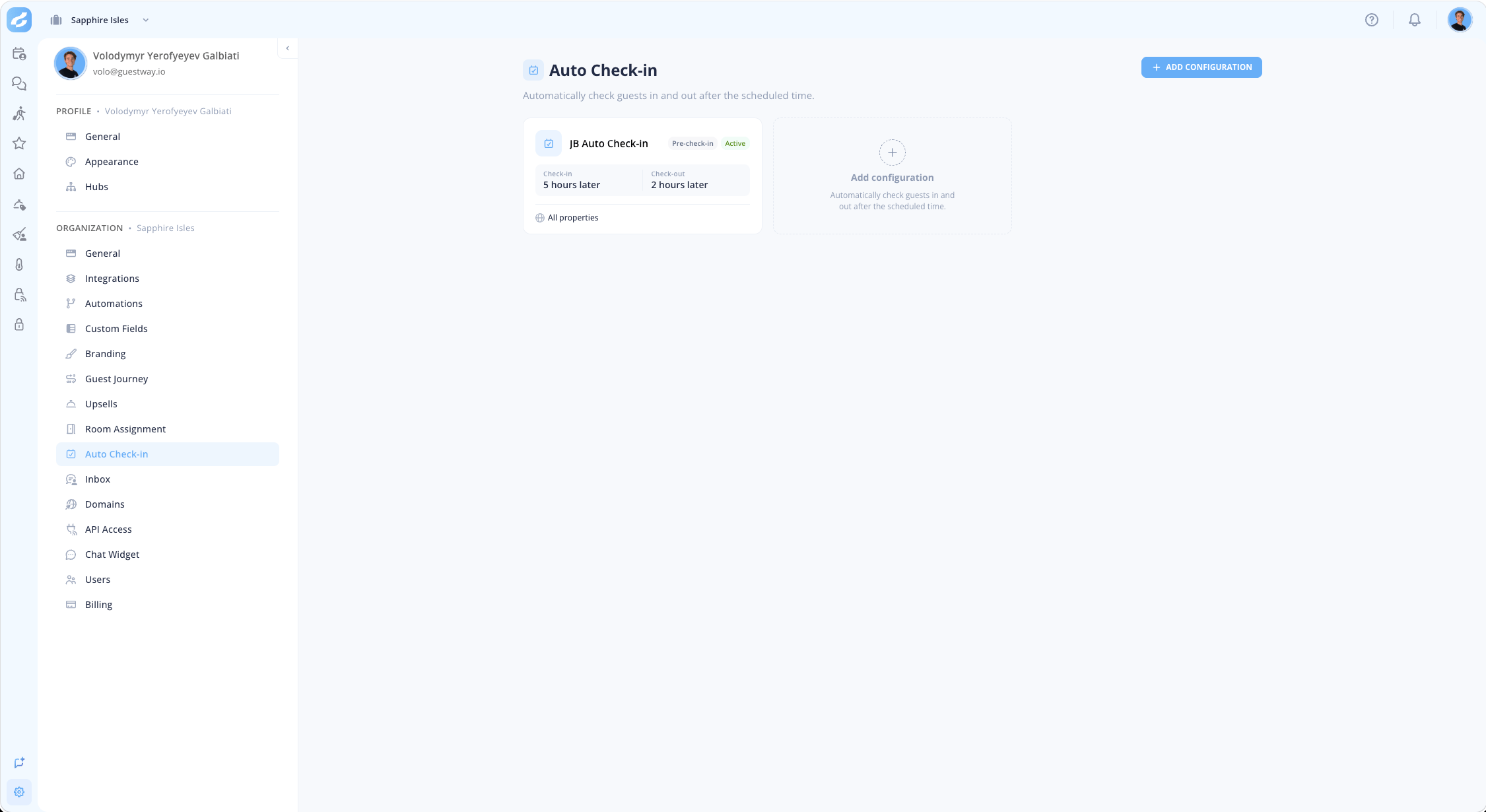
Auto Check-in is in Settings. Each configuration is a card with its Name, an Active or Off badge, a Pre-check-in badge when pre-check-in is required, when check-in and check-out happen (for example Immediately or 1 hour) and the properties it covers.
Name
The name of the configuration.
Required.
Where this applies
All properties, or specific complexes, multi-units or listings.
See Which configuration applies.
Enabled
Turns the whole configuration on or off. When off, the card shows Off.
None
Guestway sends each check-in and check-out to your PMS, so that your PMS and Guestway stay in sync.
Automatic check-in
Automatic check-in
Checks guests in after the allowed check-in time.
None
Offset
How long after the allowed check-in time Guestway waits, in hours and minutes. 0 hrs 0 min means immediately.
The check-in only happens on the arrival day.
Require completed pre-check-in
Only checks in guests who completed pre-check-in. Other guests are left for your team.
None
Automatic check-out
Automatic check-out
Checks guests out after the allowed check-out time.
Only guests who are checked in.
Offset
How long after the allowed check-out time Guestway waits.
The default is 1 hour. The check-out only happens on the departure day.
Which configuration applies
One configuration can cover All properties. It covers every property that no other configuration covers. You can have only one.
A property can belong to only one specific configuration. To move a property, remove it from the other configuration first.
The most specific configuration wins: a listing beats its multi-unit, a multi-unit beats its complex, and any specific choice beats All properties.
The properties of a specific configuration that is off do not fall back to All properties. They get no automatic check-in or check-out.
Which reservations are picked up
The reservation is a confirmed guest booking. Cancelled, pending, owner and blocked stays are skipped.
The same booking rules as check-in.
It is not a no-show.
Today is the departure day, in the time zone of the property.
It comes from your connected PMS, and the connection is active.
The guest is checked in and not checked out yet.
Today is the arrival day, in the time zone of the property.
The scheduled check-out time plus the offset has passed.
The scheduled check-in time plus the offset has passed, and the stay has not ended.
The guest is not checked in yet.
With Require completed pre-check-in, the guest completed pre-check-in.
The scheduled time is the check-in and check-out time of the reservation. With an estimated arrival time, Guestway uses the earlier of the two. With an estimated departure time, Guestway uses the later of the two.
Guestway tries the automatic check-in once and the automatic check-out once per reservation. A failed attempt is not repeated, and your team is notified in the platform. Guests who were checked in or out by hand are skipped.
Related
Guest journey: pre-check-in.