
Property custom fields
The Custom Fields tab of a property shows the property custom fields and their values for that listing, multi-unit or complex.
Custom Fields tab
The Custom Fields tab is on each listing, multi-unit and complex in Properties. The fields themselves are set up in Custom fields.
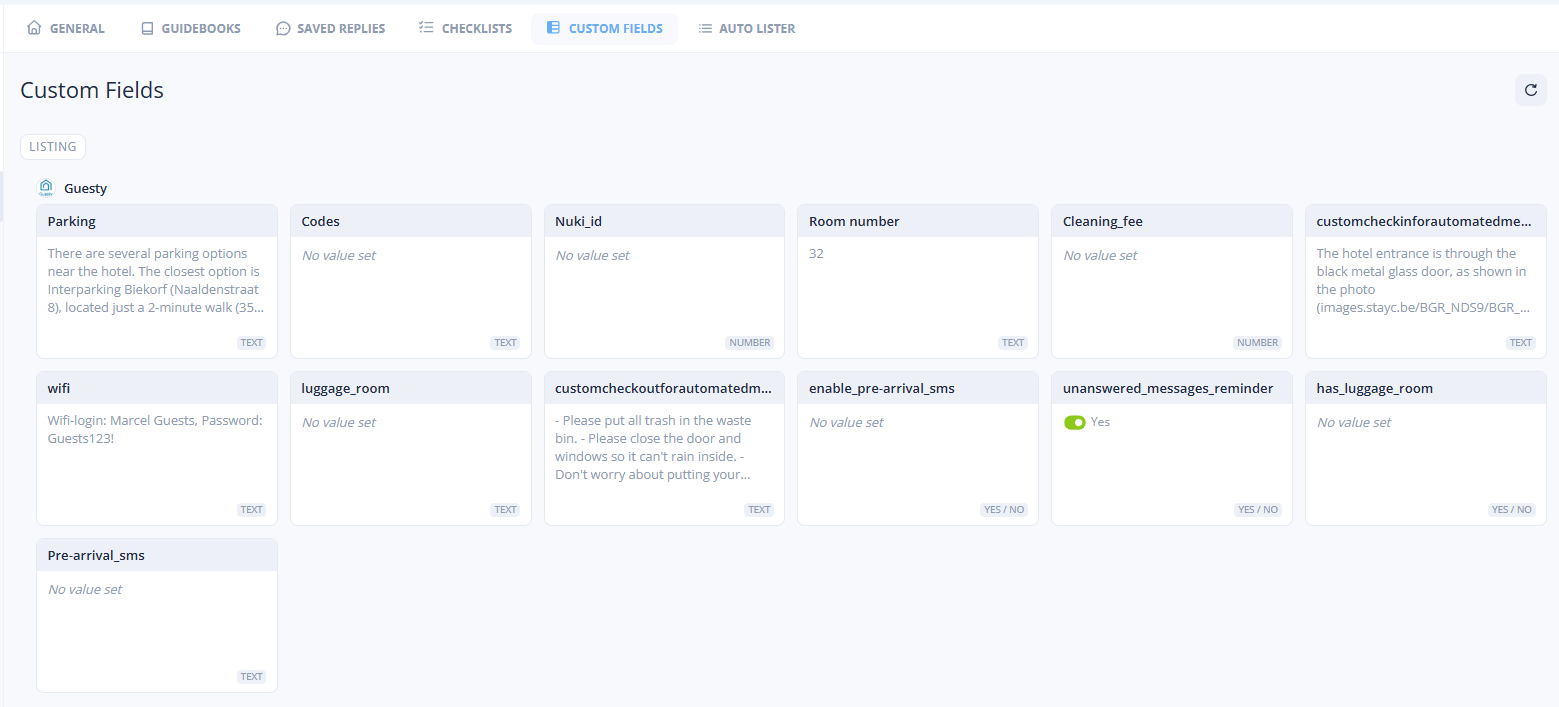
The tab has a search field (Search custom fields...) and Create, which opens Settings → Organization → Custom Fields. The fields are grouped by source: Guestway first, then each integration. In each group, important fields come first.
The tab shows only visible fields. A complex shows only the fields that are for complexes too.
Name
The name of the field.
Star
The field is important.
Value
The value for this property. No value set when it is empty.
Inherited from
The value comes from the parent multi-unit or complex. Click the name to open it.
Value type
TEXT, NUMBER, YES / NO, LIST, DATE or TIME.
Info icon
The description of the field.
Edit a value
Click a field to open Edit with the name of the field.
Use parent value (toggle)
On: the property uses the value of its multi-unit or complex. Off: enter a value for this property.
Only when the property has a parent.
Value
The value for this property. The control depends on the value type. See Value types. In a Text field, type @ to insert a template variable.
None
Use parent value (button)
Copies the value of the parent into the field. Hover it to compare the two values (Override and the name of the parent).
Only for Text, when the parent has a value.
Save saves the value: Custom field saved successfully. The value applies only to this property.
Inheritance
A listing shows its own value. Without one, it shows the value of its multi-unit, and without that, the value of its complex. When the multi-unit and the complex both have a value, the multi-unit wins. A multi-unit inherits from its complex. A complex does not inherit.
Integration-managed fields
Some fields are filled in and kept in sync by an integration. They show This field is managed by an integration and cannot be edited here. Change the value in the integration, and Guestway syncs it. A field of this kind without a value is hidden on the tab.
In the inbox
The Listing tab of the reservation details panel shows Custom Fields (N) with the values of the listing. The values are read-only there. View Listing or View Multi-Unit opens the Custom Fields tab of the property.
An inherited value has an arrow icon. Hover it to see where the value comes from:
The custom field
codeinherited value from multi-unit: or … from complex:, with the value of the parent and No value set for the listing.The custom field
codehas multiple values: when the listing has its own value, with both values.
Related
Custom fields: set up the fields