> For the complete documentation index, see [llms.txt](https://docs.guestway.io/llms.txt). Markdown versions of documentation pages are available by appending `.md` to page URLs; this page is available as [Markdown](https://docs.guestway.io/guestway-mobile-app/inbox/how-to-reply-to-a-guest-in-the-app.md). Agents can also search and read this documentation through its [MCP server](https://docs.guestway.io/~gitbook/mcp).
# How to reply to a guest in the app
This guide shows you how to answer a guest from the Guestway app, with your own text, an AI suggestion or a saved reply.
{% hint style="info" %}
**Before you start**
* You have the **Inbox** tab in the Guestway app.
* You have the **Super admin** role, or a role that can edit conversations.
{% endhint %}
## Open the conversation
{% stepper %}
{% step %}
### Find the conversation
Tap the **Inbox** tab. To find the conversations to answer, tap the bubble icon (**Needs reply**), or search by guest name or booking code.
{% endstep %}
{% step %}
### Open it
Tap the conversation.
{% endstep %}
{% endstepper %}
## Write or pick a suggestion
{% stepper %}
{% step %}
### Start the reply
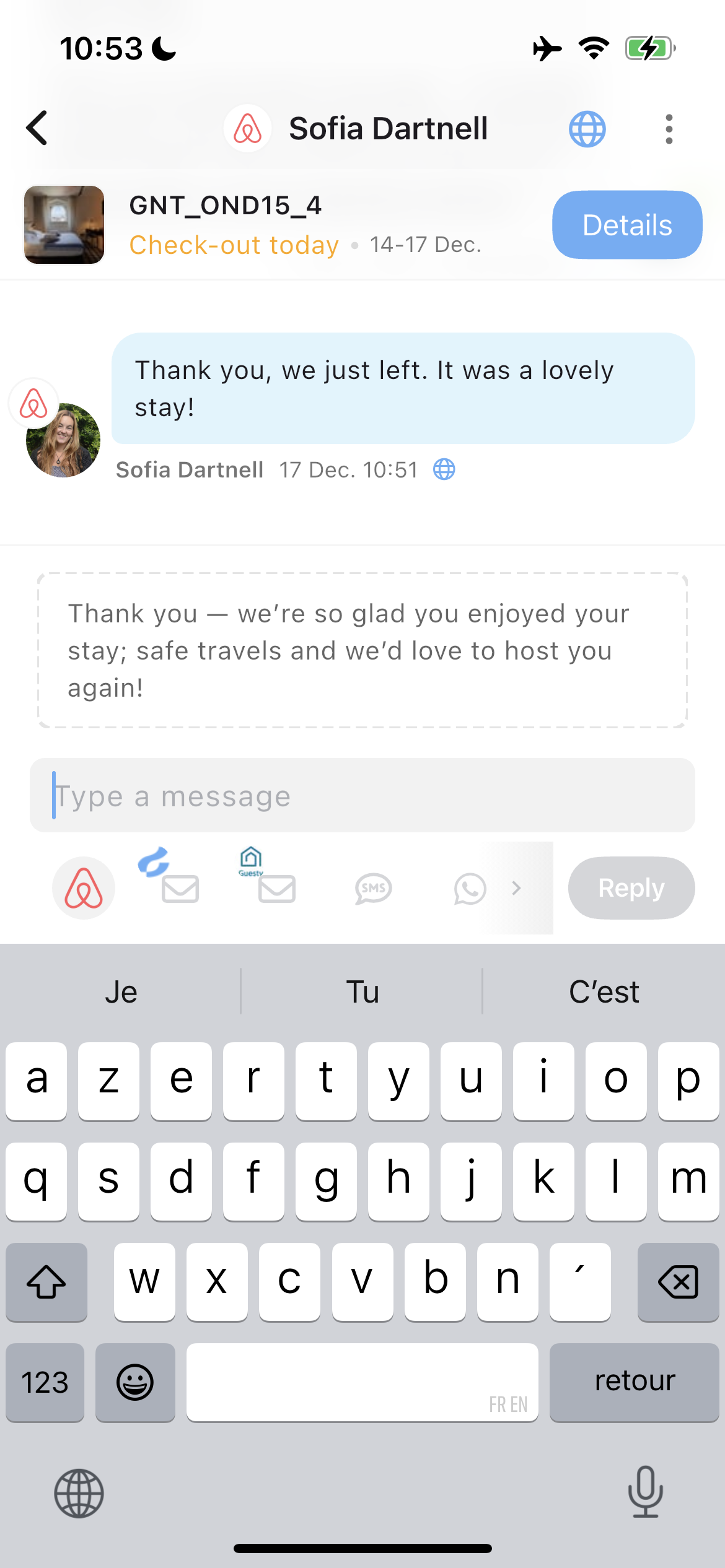
Tap *Type a message*.
If the conversation needs a reply, an **AI suggested reply** loads above the reply form. Tap it (**Tap to insert**) to use it, then change the text if needed. If the conversation does not need a reply, tap **Get AI suggestion** to get one.
{% endstep %}
{% step %}
### Use a saved reply, if you want
Tap **+** → **Saved replies**, search, and tap the reply. For WhatsApp, tap **Reply with · WhatsApp templates** instead and choose a template.
{% endstep %}
{% step %}
### Improve your text, if you want
With your text in the reply form, tap the sparkles icon in the field (**Improve with AI**), then tap the **AI improved reply** to use it.
{% endstep %}
{% endstepper %}
## Send the reply
{% stepper %}
{% step %}
### Choose the channel
Tap the channel icon under the reply form, for example the booking channel, **WhatsApp** or **Email**. To write to your team only, choose **Internal Note**.
If the guest has more than one email address or phone number, choose one under **Sending to**.
{% endstep %}
{% step %}
### Translate the reply, if you want
Tap the globe button and switch **Auto-translate** to **On**. The reply goes out in the language of the guest.
{% endstep %}
{% step %}
### Send
Tap the send button. The message shows two ticks when it is sent.
{% endstep %}
{% endstepper %}
## Troubleshooting
Why can't I send a WhatsApp message?
When the 24-hour reply window has expired, you can only send a WhatsApp template. Tap **Reply with · WhatsApp templates** and choose one.
Why don't I see the Inbox tab?
The **Inbox** tab needs the **Platform app** access, under **Apps and access** in the role editor. Every platform user role has it; cleaner accounts don't. Ask an admin of your organization.
## Related
* [Inbox](https://docs.guestway.io/guestway-mobile-app/inbox.md)
* [How to reply to a guest](https://docs.guestway.io/inbox-and-messaging/unified-ai-inbox/how-to-reply-to-a-guest.md) (in the web app)
* [Saved replies](https://docs.guestway.io/inbox-and-messaging/saved-replies.md)
---
# Agent Instructions
This documentation is published with GitBook. GitBook is the documentation platform designed so that both humans and AI agents can read, navigate, and reason over technical content effectively. Learn more at gitbook.com.
## Querying This Documentation
If you need additional information that is not directly available in this page, you can query the documentation by asking a question.
Perform an HTTP GET request on the following URL with the `ask` and `goal` query parameters:
```
GET https://docs.guestway.io/guestway-mobile-app/inbox/how-to-reply-to-a-guest-in-the-app.md?ask=&goal=
```
`ask` is the immediate question: it should be specific, self-contained, and written in natural language.
`goal` is what the user is ultimately trying to achieve, the reason they need the answer. Sharing it helps GitBook give you a better, more relevant answer. A goal is most helpful when it describes the outcome the user wants rather than restating the question. For example, with `ask=how do I create an API token`, a goal like `automate deployments from our CI pipeline` lets GitBook tailor the answer to that use case.
The response will contain a direct answer to the question and relevant excerpts and sources from the documentation.
Use this mechanism when the answer is not explicitly present in the current page, you need clarification or additional context, or you want to retrieve related documentation sections.