> For the complete documentation index, see [llms.txt](https://docs.guestway.io/llms.txt). Markdown versions of documentation pages are available by appending `.md` to page URLs; this page is available as [Markdown](https://docs.guestway.io/guest-experience/guest-journey.md).
# Guest journey
A guest journey sets the steps guests complete in the guest portal before arrival, during the stay and at check-out.
{% hint style="info" %}
**Requirements**
* The guest journey read permission to view guest journeys.
* For protection: a billing account, complete listing addresses and pet policies, and a default branding with company name and contact email. See *Protection readiness* below.
* For fees: a connected billing account.
{% endhint %}
## Journeys
Guest journeys are in **Settings** → **Organization** → **Guest Journey**. Each journey applies to the listings and multi-units you link to it.
| Field or action | What it does | Limits |
| ----------------------------- | ---------------------------------------------------------------------------------------------------- | ------------------------------------------------------------------------------------------------- |
| **Name** | The name of the journey. | Required. |
| **Description** | A note for your team. | None |
| **Listings**, **Multi-Units** | The properties that use this journey. | None |
| **Default** | The journey for every property without a specific journey. | A journey with linked listings or multi-units cannot become the default. Unlink them first. |
| Duplicate | Copies the journey. | None |
| **Guest facing currency** | The currency guests pay in. | Upsells are offered only in journeys with the same currency. |
| **Redirect URL** | The page guests go to the first time they complete pre-check-in. | Must be a valid URL. |
| **Preview guest portal** | Opens the pre-check-in flow with this configuration, including the house rules and rental agreement. | Available after the journey is saved. Some reservation and pricing data in the preview is mocked. |
## Phases and steps
The editor has three phases: **Pre-check-in**, **Check-in** and **Check-out**. Pre-check-in steps run in this order: **Guest Information**, **Trip Details**, **Agreement**, **Protection**, **Upsells**, **Fees**, **ID Verification**. The **Upsells** step is also in **Check-in**, for purchases during the stay. **Self check-out** is in **Check-out**.
Guests who leave pre-check-in and come back continue from the latest step they completed.
Each step has a **Channel configuration**:
| Option | What it does |
| ---------------- | ------------------------------------------------------------ |
| **All** | All reservations see the step. |
| **Include only** | Only reservations from the selected channels see the step. |
| **Exclude** | Reservations from the selected channels do not see the step. |
For what guests see in each step, see [Guest portal](/guest-experience/guest-portal.md).
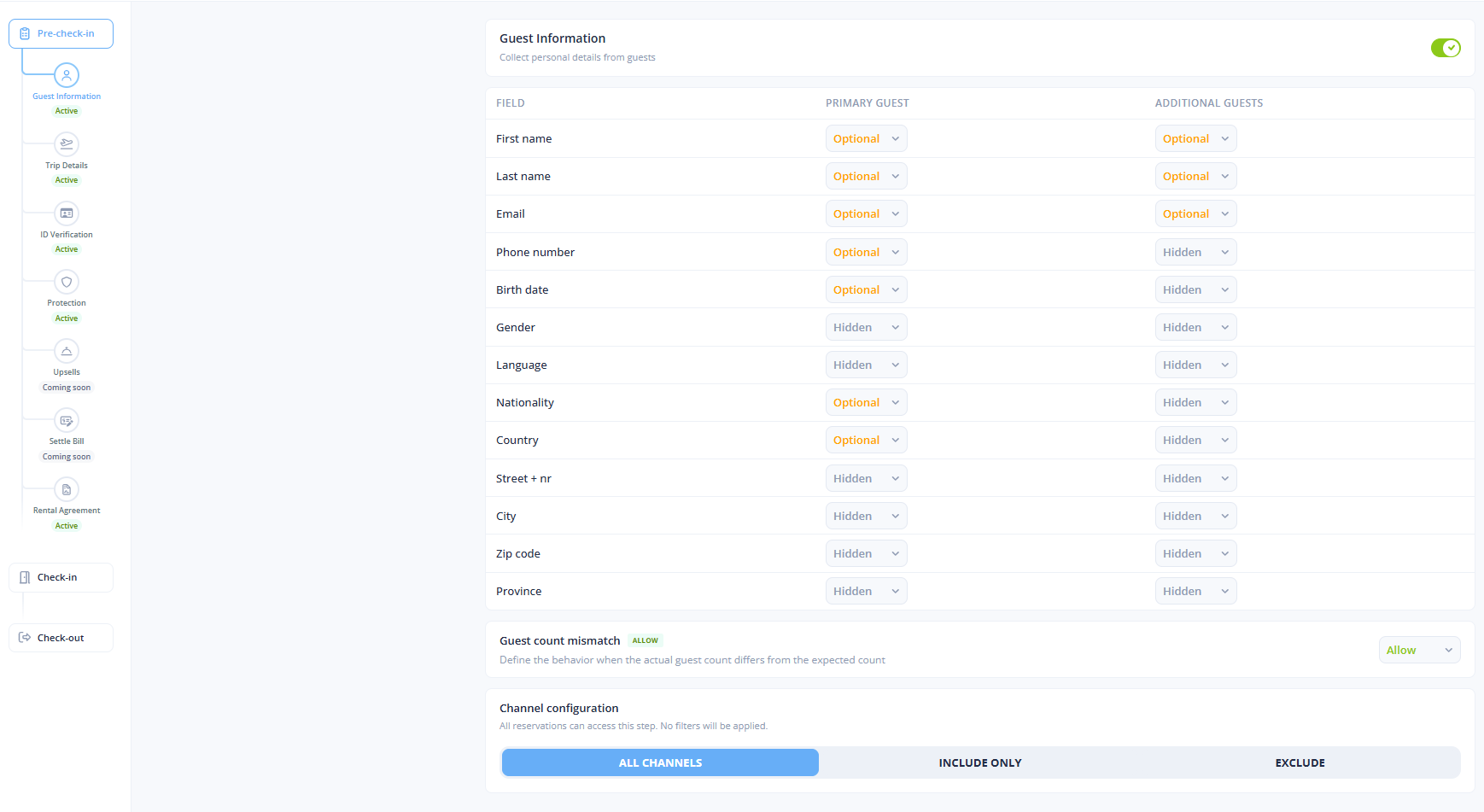
## Guest information
| Field | What it does | Limits |
| ------------------------- | ------------------------------------------------------------------------------------------------------------------------------------------------------------ | --------------------------------------------- |
| Guest fields | The details collected from each guest, for example name, contact information and country. Each field has a **Requirement**. | None |
| Guest count | What happens when the number of guests differs from the booking: allow the guest to continue, warn the guest, or block the guest until every guest is added. | None |
| **Phone number required** | Makes the phone number of the main guest required. | Always on when the **Protection** step is on. |
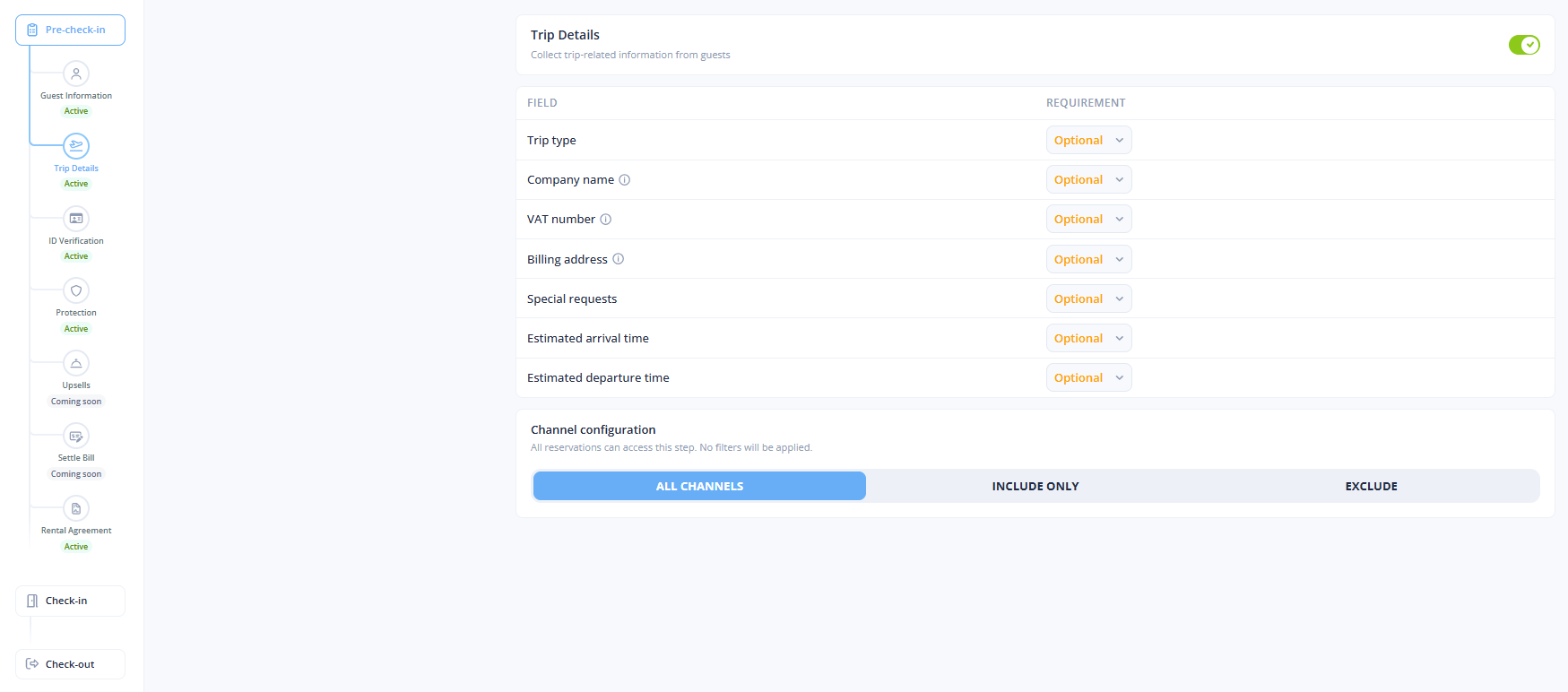
## Trip details
| Field | What it does | Limits |
| ----------------------------------------------------- | -------------------------------------------------------------------------------------------------------------- | ------------------------------------------------------ |
| Trip fields | Trip details, for example the purpose of stay, special requests and the estimated arrival and departure times. | None |
| **Company name**, **VAT number**, **Billing address** | Billing details for invoicing, each with its own requirement. | Shown to guests only when they choose a business trip. |
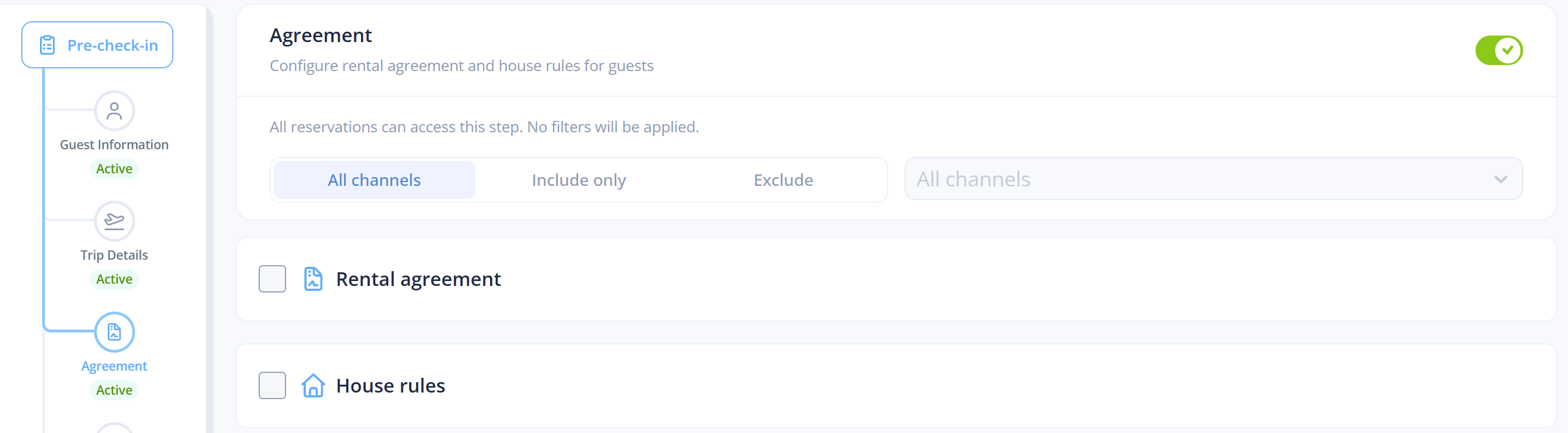
## Agreement
| Field | What it does | Limits |
| --------------------- | ------------------------------------------------------------------------------------------------------- | -------------------------------------------------------------------- |
| **Rental agreement** | The contract the guest accepts before arrival, for example terms, liability and cancellation. | Rich formatting, images and template variables from the reservation. |
| **Collect signature** | **Active**: guests must sign before they can continue. **Inactive**: guests accept without signing. | Only for the rental agreement. |
| **House rules** | The rules of the property the guest acknowledges, for example noise, pets, smoking, visitors and waste. | Rich formatting, images and template variables from the reservation. |
The rental agreement and the house rules can be turned on separately.
## Protection
In the **Protection** step, each guest chooses how accidental damage is covered: a **Damage Waiver** or a **Security Deposit**.
### Protection readiness
The readiness alert at the top of the step lists what is missing, with **Fix** and **Re-check** for each item.
| Check | Requirement | Where to fix it |
| ------------------- | --------------------------------------------------------------------------------------------------------------------- | ---------------------------------------------------------------------------------- |
| **Billing account** | A connected, usable Stripe account set as the organization default. | **Settings** → **Billing**. A new Stripe account must first be approved by Stripe. |
| **Listings** | Each subscribed listing has a complete address (street, city, zip code, country) and a pet policy (**Pets allowed**). | **Fix** on the listing, or **Set pet policy** for all listings without one. |
| **Branding** | The default branding has a company name and a contact email. | **Settings** → **Branding**. |
### Damage waiver
| Field | What it does | Limits |
| ---------------------------- | --------------------------------------------------------------------------------------------------------------------------------------------------------------------- | ---------------------------------------------------------- |
| **Charge to guest** | Shows the damage waiver as an option in pre-check-in. | None |
| **Pricing type** | **Flat fee** (once per stay), **Per night**, **Per adult**, **Per adult per night**, **Per person** (all guests) or **Per person per night**. | None |
| **Amount** | The amount for one unit of the pricing type. | None |
| **Guest-facing description** | The text guests read when they choose. | A starter text is filled in. |
| **Damage waiver type** | How the stay is insured: **Full protection**, **Basic protection** or **Self Insured**. The editor shows the insurance price per night and your profit for each type. | **Self Insured** is not available with **Always protect**. |
| **Always protect** | Insures every reservation of the journey, also when the guest skips the waiver or chooses a deposit. You pay the premium on every booking. | You must confirm a dialog to turn it on. |
| Damage waiver type | What it covers | Your cost |
| -------------------- | ---------------------------------------------------------------- | ------------------------------------------------------------ |
| **Full protection** | Full coverage from €0 to €50,000 per night. | A higher premium per night. |
| **Basic protection** | €500 excess, up to €50,000. Damage under €500 cannot be claimed. | A lower premium per night. |
| **Self Insured** | No third-party insurance. You cover any damage yourself. | A platform service fee: a percentage of the fee you collect. |
The cost breakdown shows the fee charged to the guest, the **Insurance premium** and the **Property manager profit**. Insurance premiums are priced in euros. With another guest-facing currency, the profit figures are approximate.
When neither **Charge to guest** nor **Always protect** is on, the damage waiver is inactive: guests do not see it and nothing is covered.
### Security deposit
| Field | What it does | Limits |
| --------------------------------------------------- | ----------------------------------------------------------------------------------------------------------------------------------- | -------------------------------------------------- |
| **Inherit from property** | Uses the **Default security deposit** of each property. **View property deposits** lists the properties of the journey without one. | Properties without a deposit use the amount below. |
| **Pricing type** | The same types as the damage waiver. | None |
| **Amount** | The deposit amount. | None |
| **Guest-facing description** | The text guests read when they choose. | A starter text is filled in. |
| **Charge method** | **Hold only** or **Charge & refund**. | The default is **Hold only**. |
| **Release method** | For **Hold only**: **Auto-release** 0 to 30 days after check-out, or **Manual release**. | None |
| **Refund method** | For **Charge & refund**: **Auto-refund** 0 to 7 days after check-out, or **Manual refund**. | None |
| **Allow extending the hold during the reservation** | Extends the hold during the stay when the card window of Stripe is shorter. | Only for **Hold only**. |
| **Allow extending the hold after checkout** | Extends the hold after check-out when the card window of Stripe is shorter. | Only for **Hold only**. |
| Charge method | How it works | Fees |
| ------------------- | ------------------------------------------------------------------------------------------------------- | ------------------------------------ |
| **Hold only** | The card is saved, and a hold is authorized at the chosen time. The hold is captured or released later. | No Stripe charge fee. |
| **Charge & refund** | The card is charged now and refunded after check-out. | A Stripe processing fee of about 2%. |
If the guest already has a usable card on file for the reservation, they may not need to enter it again before the hold.
### Skip options
| Option | What it does |
| -------------------------------- | -------------------------------------------------------------------------------------------------------------------------------------------------------------------------------------------------------------------------------------------------- |
| **No skip** | Guests must choose a protection option before they continue. |
| **Always skippable** | Every guest can skip the protection step. |
| **Limit skip option visibility** | Only reservations that match the conditions you turn on can skip: **Short stays** (fewer nights than the **Night cutoff**), **Long stays** (more nights than the **Night cutoff**) or **Confirmed before** (reservations confirmed before a date). |
### Protection on the reservation
After pre-check-in, the reservation in the Inbox shows the protection status. **Protection Details** shows the coverage period, who paid, the Truvi verification and a link to the broker.
| Status | Meaning |
| --------------------- | -------------------------------------------------------------------------------------------------------------- |
| **Covered** | The background check passed. The guest is insured up to €50,000. |
| **Pending** | The check has not finished yet. It usually resolves within moments. |
| **Covered (flagged)** | Insured, with reduced coverage, for example up to €1,000. The guest had a minor earlier issue. |
| **Rejected** | Truvi does not insure this guest. You pay no premium, only an administration fee of about €0.25 for the check. |
Deposit activity also shows on the reservation: a saved card, a hold that succeeds or fails, funds captured or released, and a refund or expiry that needs attention. A scheduled release or refund can be paused and resumed.
The guest pays the damage waiver or deposit into your Stripe account. Guestway charges you the insurance premium at the end of the month.
## Upsells
The **Upsells** step offers the upsells of your organization: early check-in, late check-out and custom upsells.
| Field | What it does | Limits |
| ----------------------- | ---------------------------------------------------------------------- | ------ |
| **Manage upsells** | Shows the upsells offered in the step. | None |
| **Create a new upsell** | Creates an upsell with the currency and the properties of the journey. | None |
An upsell is offered only when its currency matches the **Guest facing currency** of the journey. See [Upsells](/guest-experience/upsells.md).
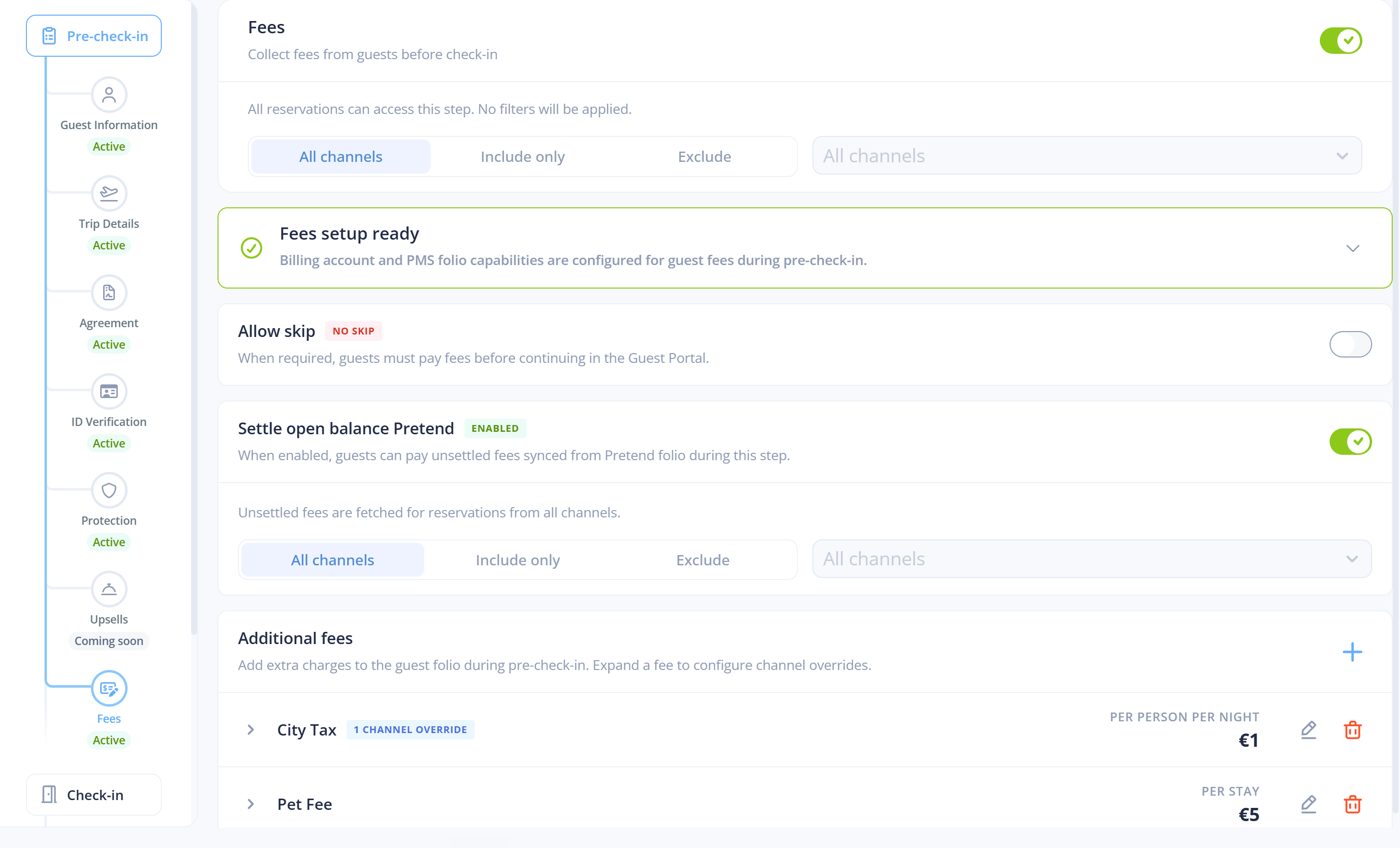
## Fees
The **Fees** step adds charges to the guest folio during pre-check-in, for example city tax, tourist tax or cleaning.
| Field | What it does | Limits |
| ---------------------------------------- | ------------------------------------------------------------------------------------------------------------------------------------------------------------------------------------------------------------------- | -------------------------------------------------------------------------------------- |
| **Allow skip** | When off, guests must pay the fees before they continue. | None |
| **Display name** | The name of the fee that guests see. | None |
| **Pricing type** | **Flat**, **Per night**, **Per adult**, **Per adult per night**, **Per person**, **Per person per night**, **Percentage of stay** (of the accommodation fare) or **No charge** (the fee is switched off, but kept). | New fees use **Per night**. |
| **Amount** | An amount, or a percentage for **Percentage of stay**. | A percentage is between 0.01 and 100, with at most 2 decimals. A dot or a comma works. |
| **VAT percentage** | The VAT rate of the fee. | Whole numbers only. |
| **Sync PMS** (with the name of your PMS) | After guest payment, syncs the fee and the payment to the PMS folio. | Needs a connected PMS. |
| **Sync payment only** | Posts the guest payment to the PMS folio without adding a bill line. | Only when the PMS sync is on. |
| **Service name** | The name of the service in your PMS for the bill line. | Required when a bill line is synced. |
| Channel overrides | Changes the fee for one booking channel: on or off, with its own pricing type and amount. | Other channels use the default price. |
| **Fetch unsettled items from PMS** | Shows the guest the charges already on their bill in your PMS, next to your fees. | Has its own channel configuration. |
The validation messages are *Max 2 decimal places*, *Must be between 0.01 and 100* and *Must be a whole number*.
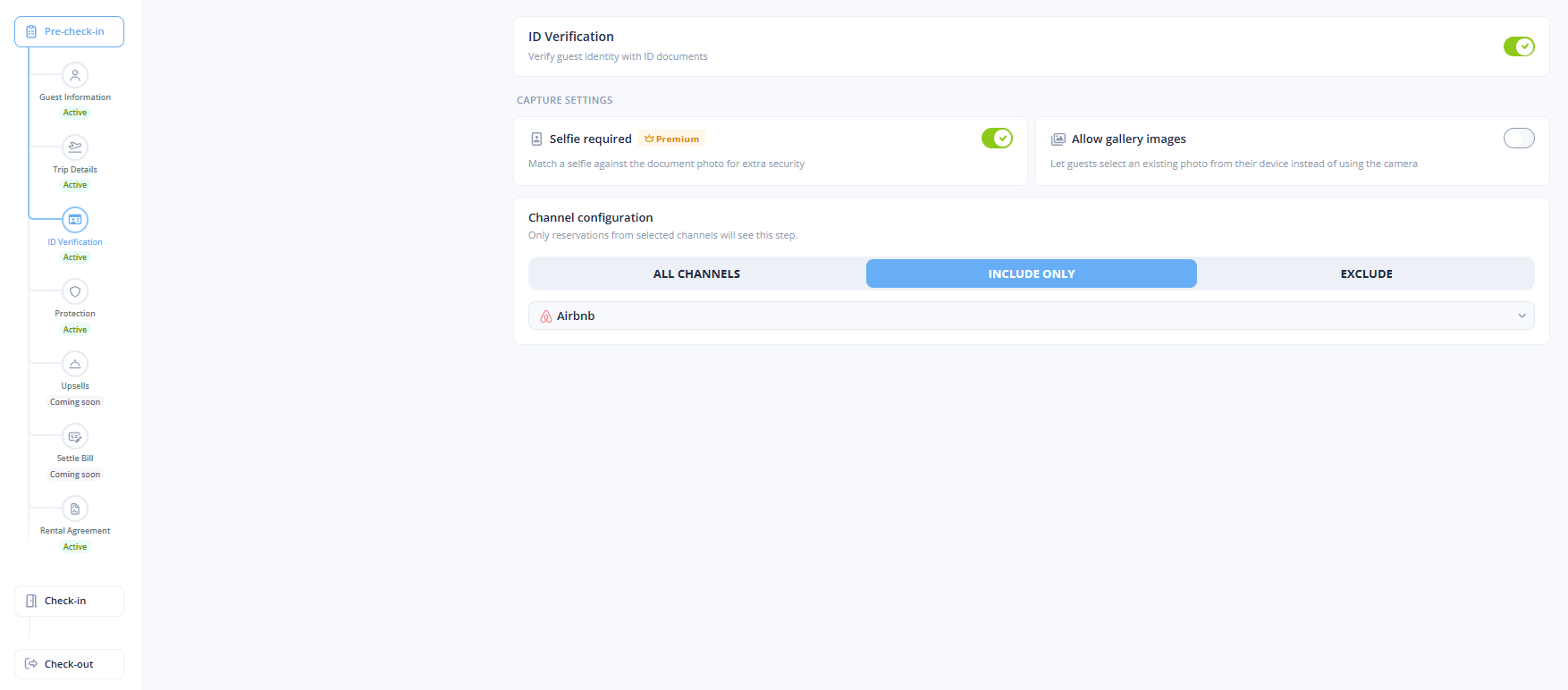
## ID verification
| Field | What it does | Limits |
| ------------------------ | ----------------------------------------------------------------------------------- | -------- |
| **Selfie required** | Matches a selfie against the document photo. | Premium. |
| **Allow gallery images** | Lets guests choose an existing photo from their device instead of using the camera. | None |
ID verification is the last pre-check-in step. It is not required for damage waivers. Each completed verification is billed and charged automatically each month:
| Option | Cost per verification |
| ---------------------------------------- | --------------------- |
| ID verification | €0.49 |
| ID verification with **Selfie required** | €0.99 |
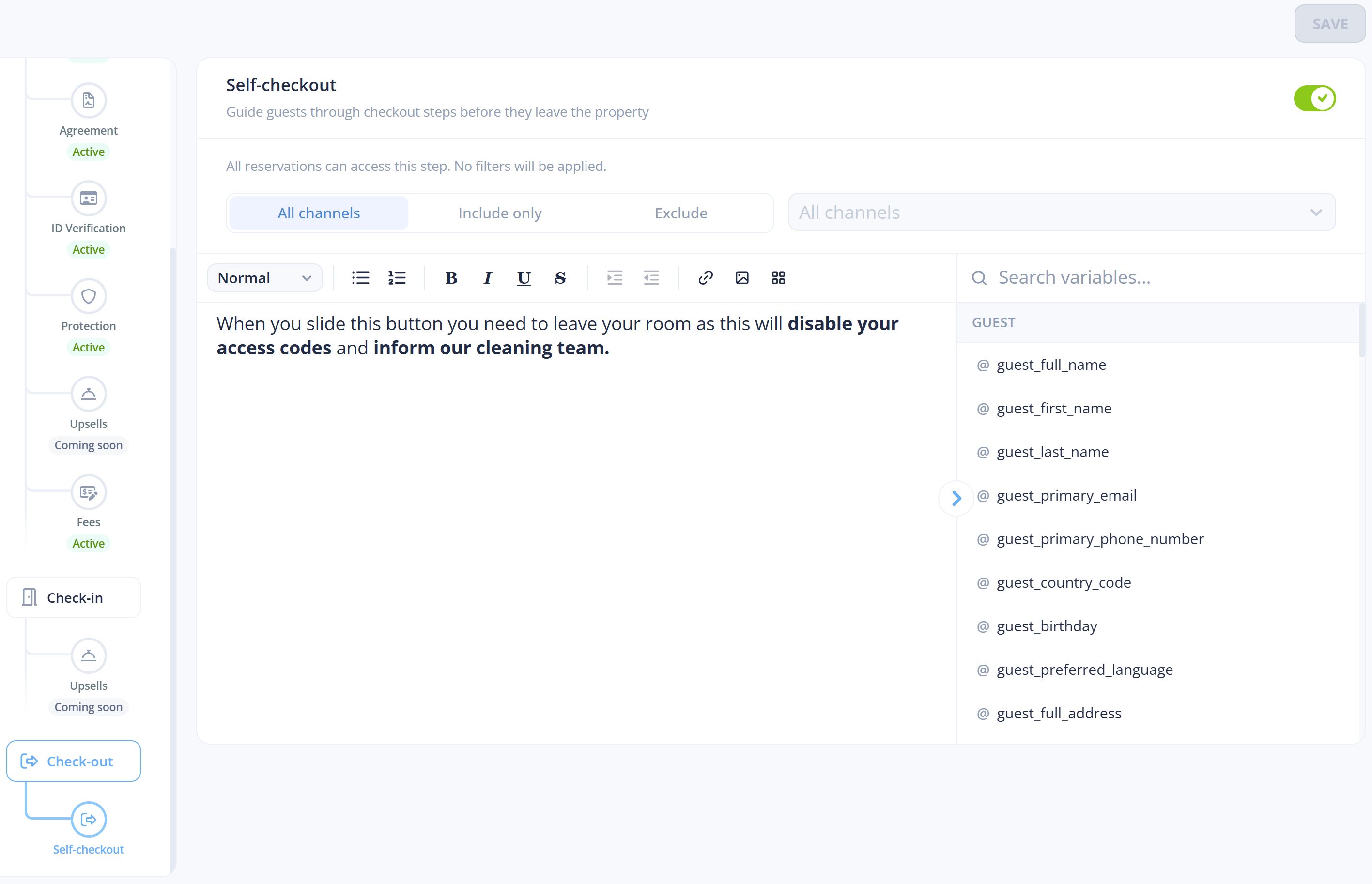
## Self check-out
| Field | What it does | Limits |
| ------------------------- | --------------------------------------- | -------------------------------------------------- |
| **Instructions** | What the guest reads before they leave. | When empty, guests see a default check-out screen. |
| **Channel configuration** | Which booking channels see the step. | None |
A completed check-out is recorded on the reservation as **completed by guest**, with a timestamp, next to the timestamps of the pre-check-in steps.
Access ends at check-out only on smart locks with **Revoke access on check-out** on. On other locks, access ends at the normal end time. See [Smart locks](/reservations-and-operations/smart-locks.md).
## Related
* [How to set up the agreement step](/guest-experience/guest-journey/how-to-set-up-the-agreement-step.md)
* [How to set up protection](/guest-experience/guest-journey/how-to-set-up-protection.md)
* [How to add fees to the guest journey](/guest-experience/guest-journey/how-to-add-fees-to-the-guest-journey.md)
* [How to set up ID verification](/guest-experience/guest-journey/how-to-set-up-id-verification.md)
* [How to set up self check-out](/guest-experience/guest-journey/how-to-set-up-self-check-out.md)
* [How to file a damage claim](/guest-experience/guest-journey/how-to-file-a-damage-claim.md)
* [About protection](/guest-experience/guest-journey/about-protection.md)
* [Guest portal](/guest-experience/guest-portal.md): what guests see in each step.
* [Branding](/guest-experience/branding.md)
---
# Agent Instructions
This documentation is published with GitBook. GitBook is the documentation platform designed so that both humans and AI agents can read, navigate, and reason over technical content effectively. Learn more at gitbook.com.
## Querying This Documentation
If you need additional information that is not directly available in this page, you can query the documentation by asking a question.
Perform an HTTP GET request on the following URL with the `ask` and `goal` query parameters:
```
GET https://docs.guestway.io/guest-experience/guest-journey.md?ask=&goal=
```
`ask` is the immediate question: it should be specific, self-contained, and written in natural language.
`goal` is what the user is ultimately trying to achieve, the reason they need the answer. Sharing it helps GitBook give you a better, more relevant answer. A goal is most helpful when it describes the outcome the user wants rather than restating the question. For example, with `ask=how do I create an API token`, a goal like `automate deployments from our CI pipeline` lets GitBook tailor the answer to that use case.
The response will contain a direct answer to the question and relevant excerpts and sources from the documentation.
Use this mechanism when the answer is not explicitly present in the current page, you need clarification or additional context, or you want to retrieve related documentation sections.