> For the complete documentation index, see [llms.txt](https://docs.guestway.io/llms.txt). Markdown versions of documentation pages are available by appending `.md` to page URLs; this page is available as [Markdown](https://docs.guestway.io/account-and-administration/holding-settings.md).
# Holding settings
The holding settings manage the organizations, owners, shared hubs, users and invoicing of a holding.
{% hint style="info" %}
**Requirements**
* You are an owner of the holding.
{% endhint %}
A holding is the parent account above your organizations. It groups more than one organization, for example different brands, regions or legal entities, under one account.
Go to **Settings**. The **Holding** section is in the settings menu, below **Organization**, with the name of the holding. Only holding owners see it. Its items are **General**, **Organizations**, **Hubs**, **Owners**, **All users** and **Invoicing**.
## General
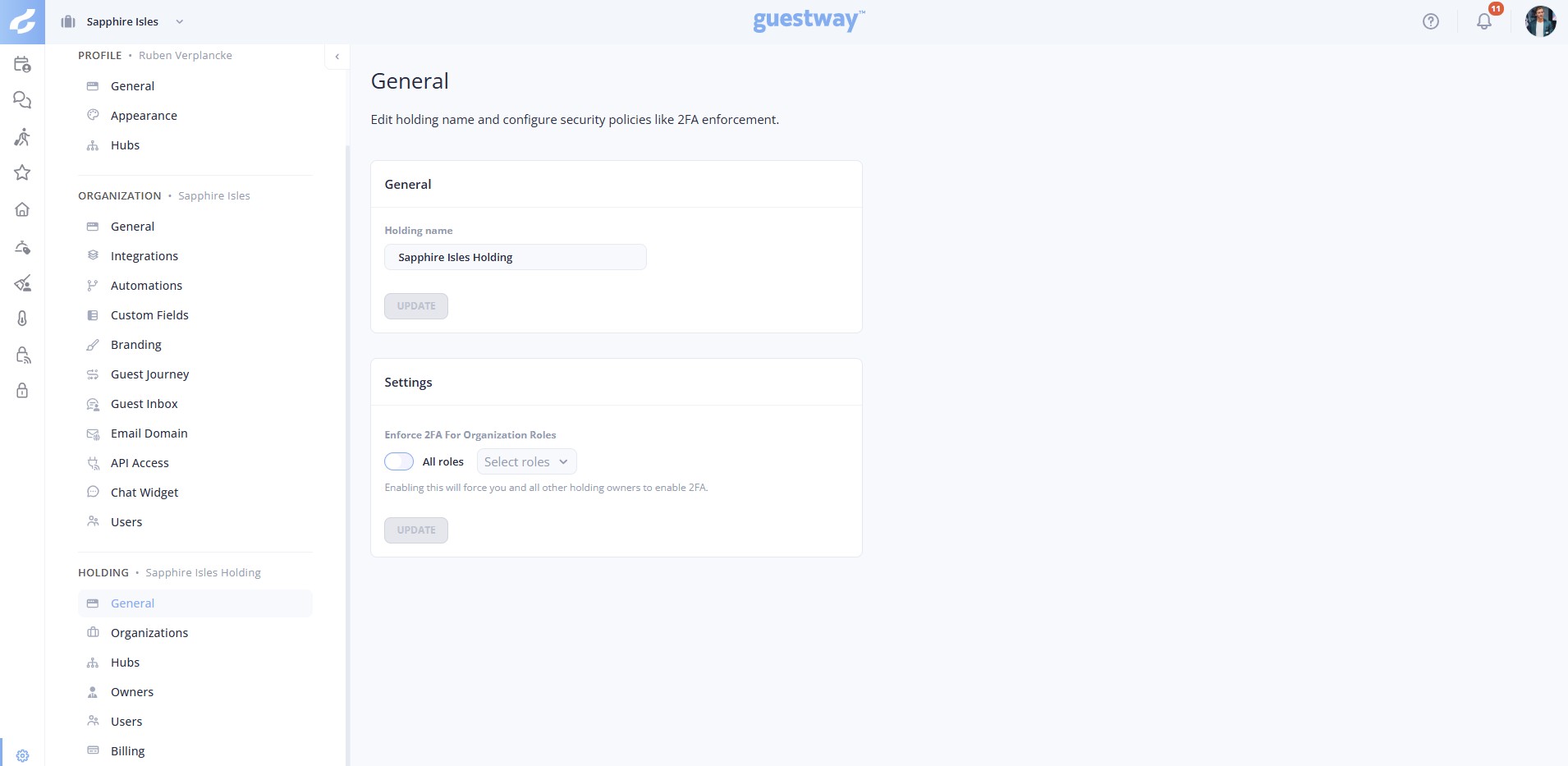
Two cards. Each card saves with its own **Update** button.
| Field | What it does | Limits |
| -------------------------------------- | --------------------------------------------------------------------------------------------------------------------------------------------------------------------------------------------------------------------------------------------------------------------------------- | ------------------------------------------------------------------------------------------------- |
| **Holding name** | The name of the holding. | Required, at least 2 characters. |
| **Enforce 2FA For Organization Roles** | Users with these roles must set up two-factor authentication at their next login, in every organization of the holding. Turn on **All roles**, or leave it off and choose the roles in **Select roles**: built-in roles, holding roles and the custom roles of the organizations. | Turning it on also requires you and all other holding owners to set up two-factor authentication. |
## Organizations
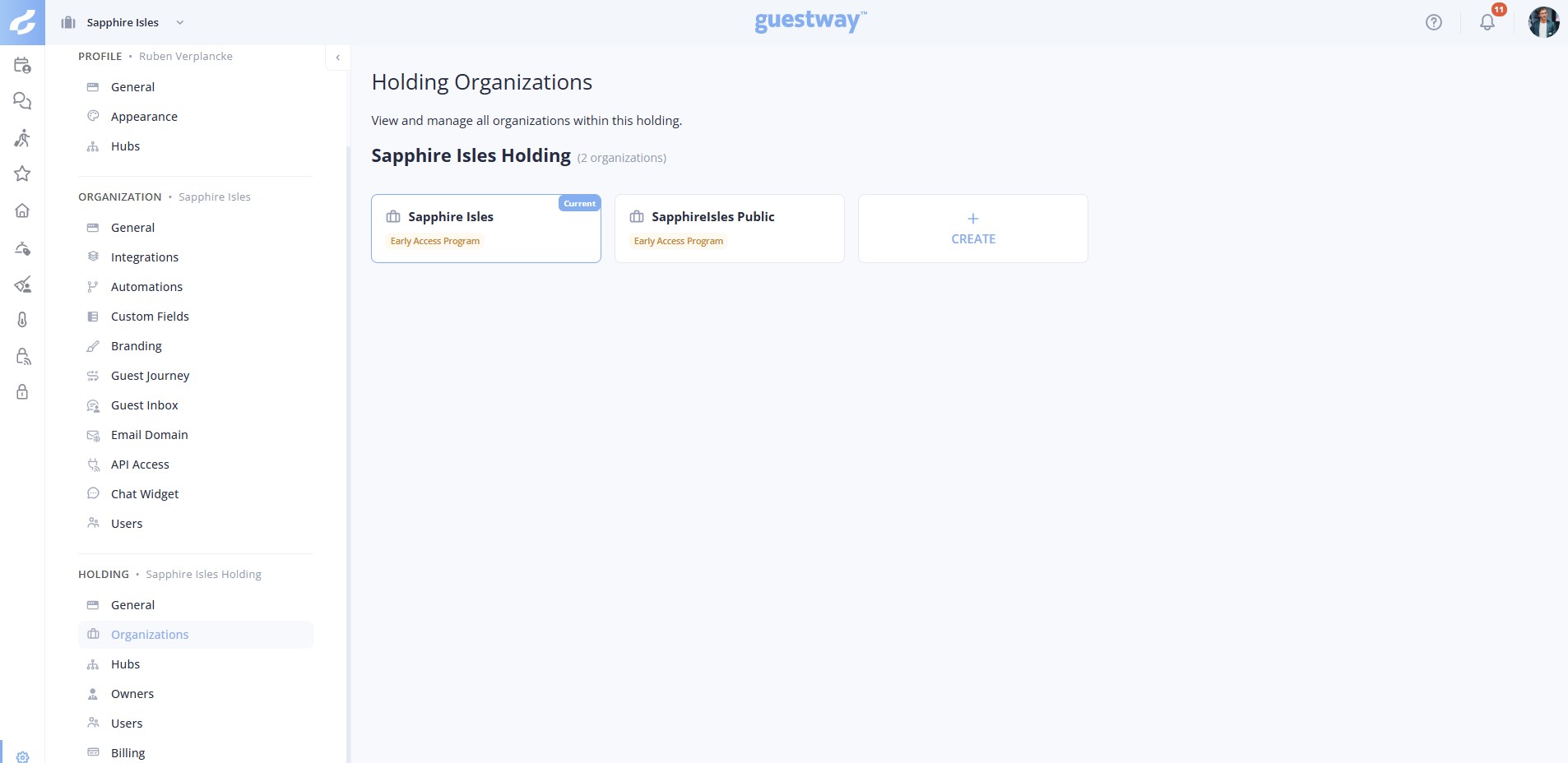
All organizations of the holding, as cards. The organization you are in has the badge **Current**. Each card shows **Early Access Program**, or **Stable Channel** with an email icon to apply for early access.
The last card, **CREATE**, opens *Please create a new organization* with the field **Name**. To rename an organization, use its own settings. See [Organization details](https://docs.guestway.io/account-and-administration/organization-details.md).
You cannot delete an organization, or move it out of the holding or to another holding. The cards have no delete action. You cannot move listings from one organization to another either. See [About organizations](https://docs.guestway.io/account-and-administration/organization-details/about-organizations.md).
## Hubs
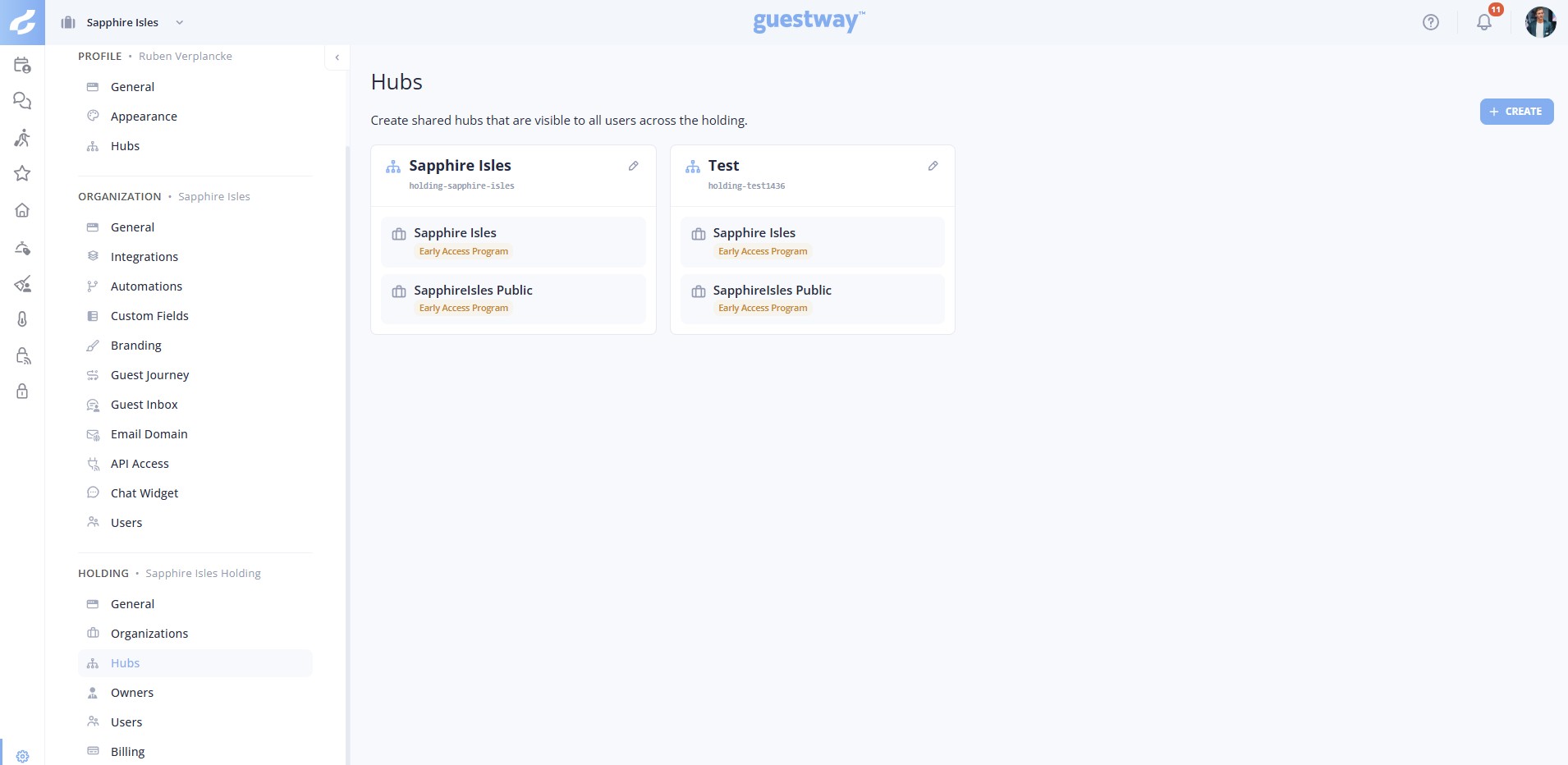
Shared hubs. All users of the holding see these hubs. Personal hubs are private to one user. The fields are the same for both. See [Hubs](https://docs.guestway.io/account-and-administration/hubs.md).
**Hubs** shows only when the holding has two or more organizations.
## Owners
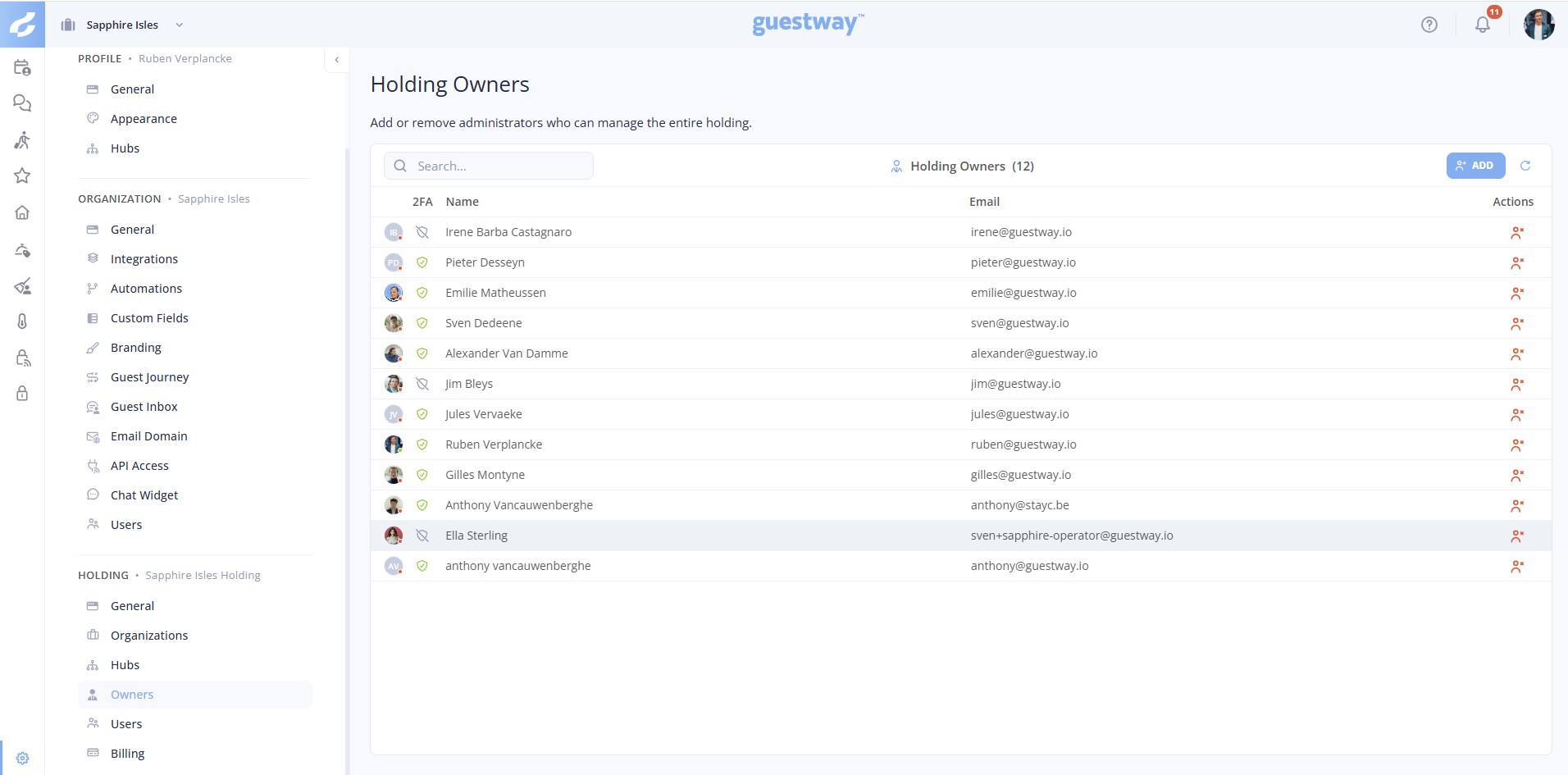
The owners of the holding. Owners manage the whole holding and its organizations.
* Holding owners are a user of every organization of the holding. While they are owners, they cannot leave an organization of the holding, and nobody can remove them from it. A lower role limits what they can do in an organization.
* The table shows **2FA**, **Name** and **Email**.
* **Add** makes people owners. You choose from the accounts of the holding.
* **Delete Owner** on a row, or **Remove as holding owner** on the page of the owner, removes the owner. They stay a user of the organizations.
## All users
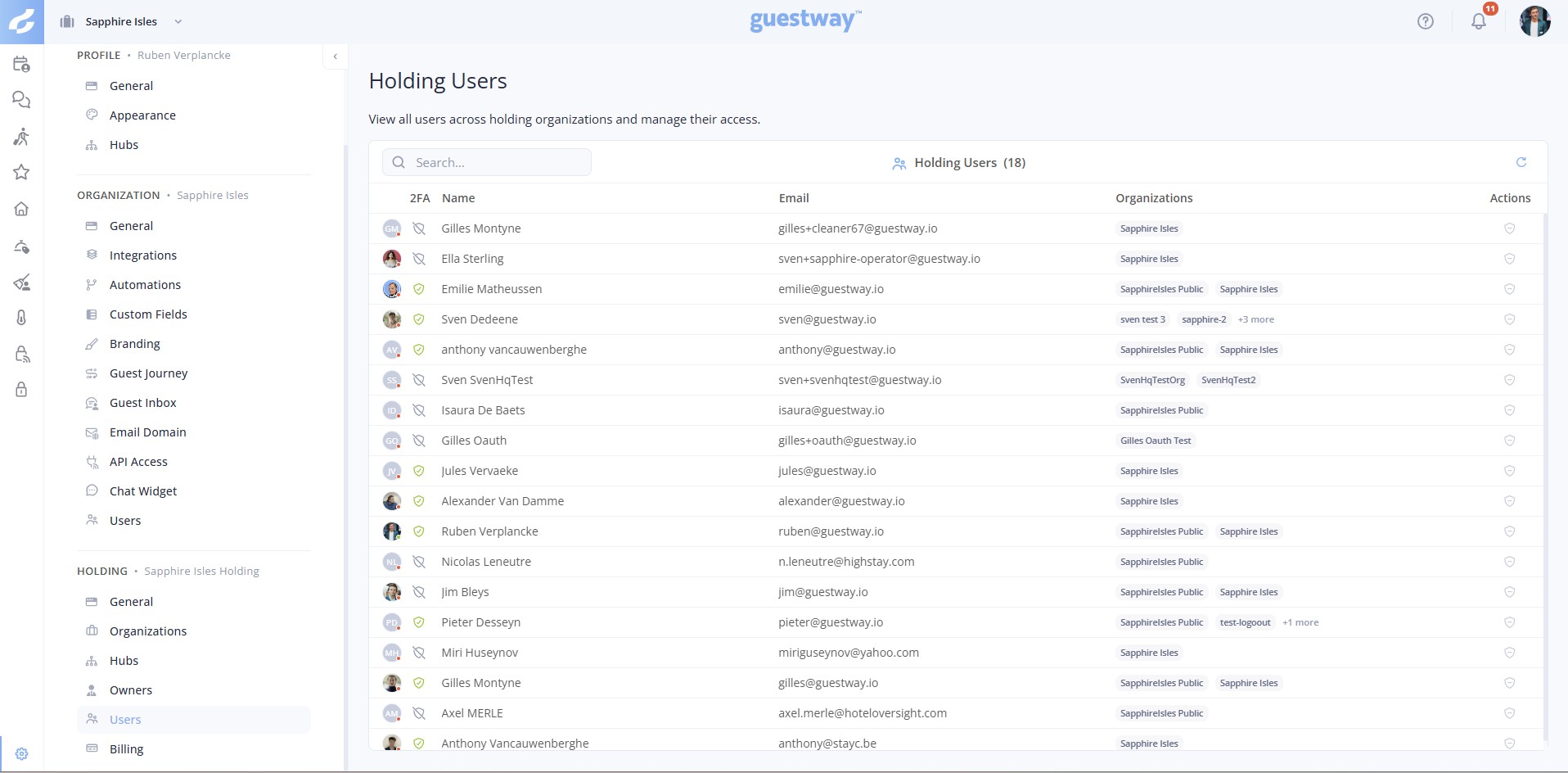
The **Users across your organizations** page shows each person in the organizations of the holding.
| Tab | What it shows |
| ------------------ | ------------------------------------------------------------------------------------------------------------------------------------------------------------------------------------------------------------------------------------------------- |
| **Platform users** | The people who work in the Guestway platform, with the columns **2FA**, **Name**, **Email** and **Organizations**. A holding owner has the badge **Owner** next to the name. |
| **Cleaners** | The people who only use the cleaning app. |
| **Roles** | The built-in roles and the roles for the whole holding. **Create role** makes a new role; under **Available in**, choose the whole holding. Roles of one organization are on the **Roles** tab of that organization: **Open organization roles**. |
**Reset 2FA** removes the two-factor authentication of a user. The user sets it up again at the next login. It is not possible when the user has not turned on two-factor authentication, or when the account is not only part of your holding.
Click a person to open their page. **Organizations** shows the organizations of the holding in two lists:
| List | What it shows |
| ------------------- | ------------------------------------------------------------------------------------------------------------------------------------------------------------------------------------------------------------------------------------------------------ |
| **Member of** | The organizations that the person is a user of. Change their roles and click **Save**, or remove them from an organization with the remove icon. |
| **Can be added to** | The other organizations of the holding. Select a role and click **Add**. The person is a user of that organization at once, without an invite to accept, and gets an email about it. If the account cannot be added at once, Guestway sends an invite. |
You cannot remove a holding owner from an organization.
When you go back with **Back to all users**, the tab that you used stays selected.
## Invoicing
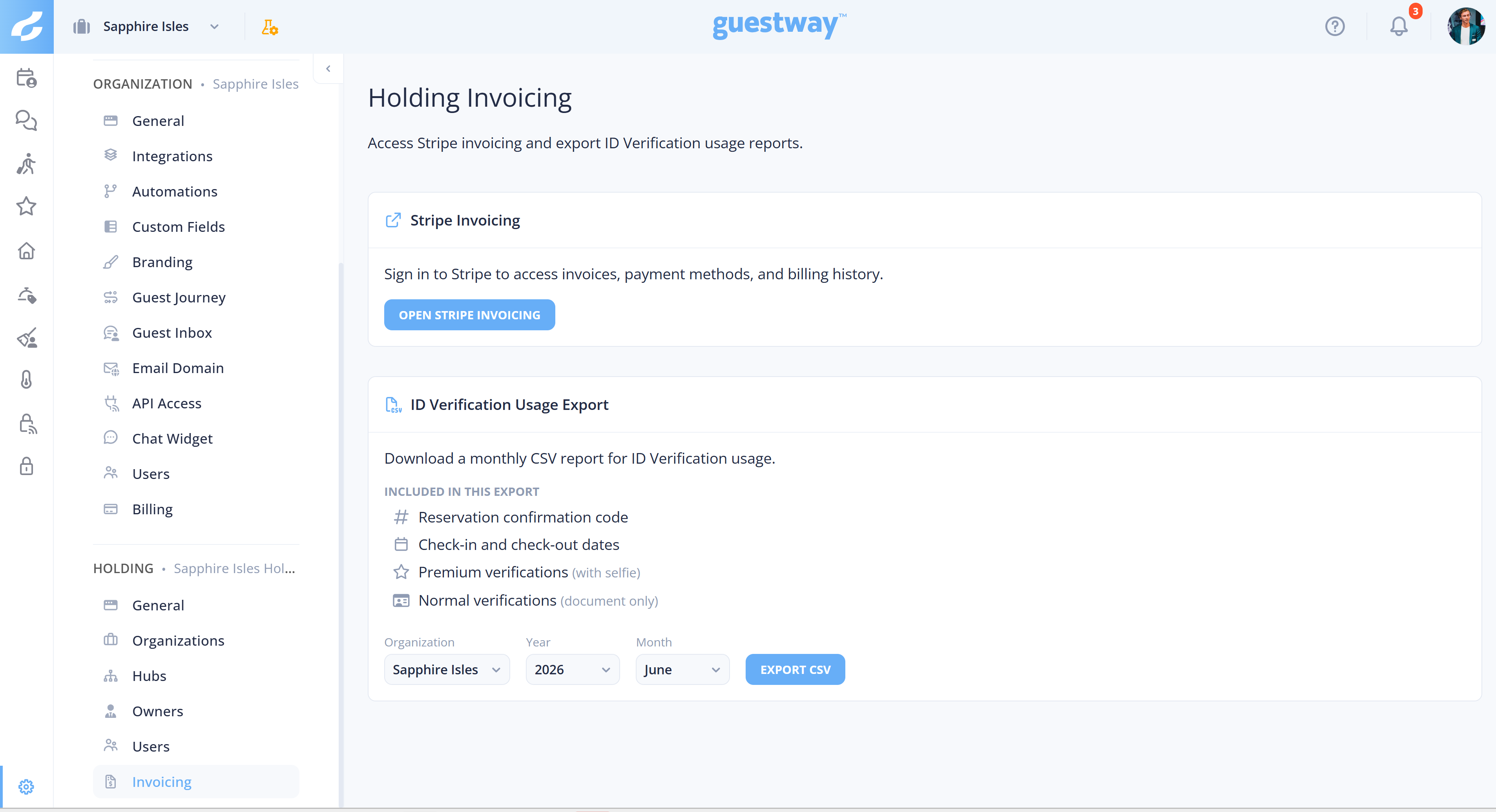
| Card | What it does |
| -------------------------------- | ------------------------------------------------------------------------------------------------------------------------------------------------------------------------------------------------------------------------------------------------------------------------------------------------------------------------------------------------------- |
| **Stripe Invoicing** | **Open Stripe Invoicing** opens Stripe, where you see invoices, payment methods and billing history. |
| **ID Verification Usage Export** | A monthly CSV of ID verification usage, to reconcile the verification charges of the holding. It has the reservation confirmation code, the check-in and check-out dates, the premium verifications (with selfie) and the normal verifications (document only). Choose the **Organization**, the **Year** and the **Month**, then click **Export CSV**. |
## Related
* [How to create an organization](https://docs.guestway.io/account-and-administration/holding-settings/how-to-create-an-organization.md)
* [How to require two-factor authentication](https://docs.guestway.io/account-and-administration/holding-settings/how-to-require-two-factor-authentication.md)
* [Users and roles](https://docs.guestway.io/account-and-administration/users-and-roles.md)
* [Hubs](https://docs.guestway.io/account-and-administration/hubs.md)
* [About organizations](https://docs.guestway.io/account-and-administration/organization-details/about-organizations.md)
---
# Agent Instructions
This documentation is published with GitBook. GitBook is the documentation platform designed so that both humans and AI agents can read, navigate, and reason over technical content effectively. Learn more at gitbook.com.
## Querying This Documentation
If you need additional information that is not directly available in this page, you can query the documentation by asking a question.
Perform an HTTP GET request on the following URL with the `ask` and `goal` query parameters:
```
GET https://docs.guestway.io/account-and-administration/holding-settings.md?ask=&goal=
```
`ask` is the immediate question: it should be specific, self-contained, and written in natural language.
`goal` is what the user is ultimately trying to achieve, the reason they need the answer. Sharing it helps GitBook give you a better, more relevant answer. A goal is most helpful when it describes the outcome the user wants rather than restating the question. For example, with `ask=how do I create an API token`, a goal like `automate deployments from our CI pipeline` lets GitBook tailor the answer to that use case.
The response will contain a direct answer to the question and relevant excerpts and sources from the documentation.
Use this mechanism when the answer is not explicitly present in the current page, you need clarification or additional context, or you want to retrieve related documentation sections.